Skip to product information
1 of 1
  • Trusted Delivery
  • Secure Payment
  • Hussle-free Return
  • Pay on Delivery

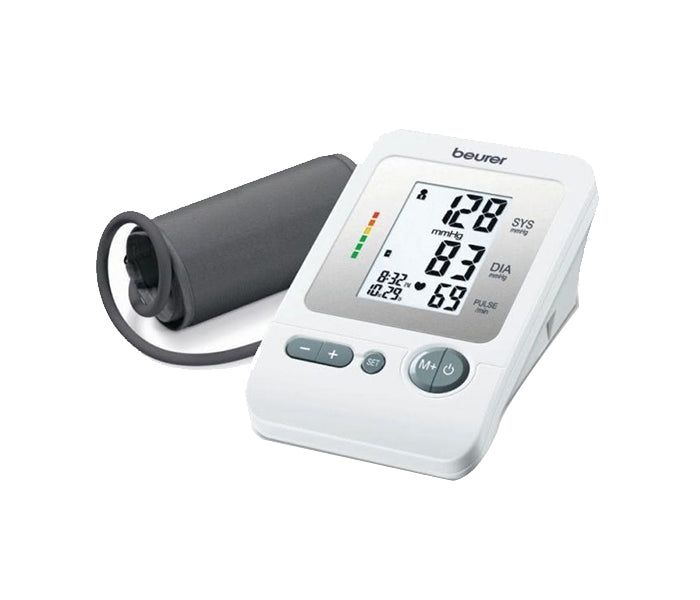
Beurer Bm26 Upper Arm Blood Pressure Monitor

Beurer Bm26 Upper Arm Blood Pressure Monitor

5.0

3

Regular price 229.00 QR
Regular price Sale price
229.00 QR
Sale Sold out
Wishlist
Free Delivery
Buy via WhatsApp

Purchase this product and earn an extra 9.16 Purple Reward Points!

Overview

  • The blood pressure monitor determines your blood pressure and pulse on your upper arm fully automatically. 
  • The blood pressure monitor is suitable for up to 4 users with its 4 x 30 memory spaces.

How To Use

Prepare the device

  •        Set the date and time (via the SET button then +/– buttons) if required.
  •          Ensure the device and cuff are at room temperature.
  Attach the cuff correctly

  •      Place the cuff on the bare upper arm (left or right), not over clothing.
  •      Position the lower edge of the cuff about 2–3 cm above the bend of the elbow, with the tube aligned toward the centre of the palm (artery side).
  •       Tighten the cuff so you can still slide two fingers underneath; the device’s “OK” mark must lie within the green range.
  •        Ensure the cuff tubing isn’t bent or under pressure.

Adopt the correct posture

  •         Sit comfortably with back supported, legs uncrossed, feet flat on floor.
  •       Rest for about 5 minutes before taking the measurement.
  •       Hold your arm with the cuff at heart level, supported on a table or armrest.
  •       Avoid talking, moving or being under stress during measurement.

Take the measurement

  •         Press the Start/Stop button and remain still while the cuff inflates and automatically deflates.
  •         After the measurement the display will show: Systolic pressure, Diastolic pressure, Pulse
  •         Risk classification per World Health Organization (WHO) colour-code.
  •        If the device shows an irregular heartbeat symbol, the result may be affected

Payment Methods

Payment Image 1
Payment Image 2
Payment Image 3
Payment Image 4
Payment Image 5
View full details