Skip to product information
1 of 3
  • Trusted Delivery
  • Secure Payment
  • Hussle-free Return
  • Pay on Delivery

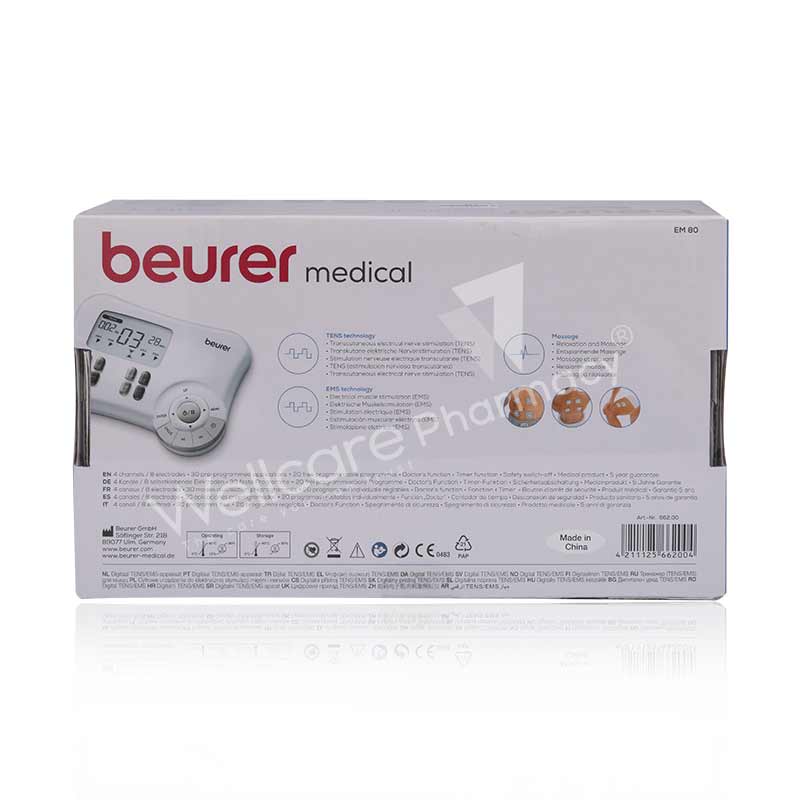
Beurer Em80 Digital Ems/Tens Unit

Beurer Em80 Digital Ems/Tens Unit

Regular price 724.00 QR
Regular price Sale price
724.00 QR
Sale Sold out
Wishlist

EMI AVAILABLE

181 QR / month for 4 months

Pay in 4 interest-free installments

Click Buy Now and choose 'Pay Later' in Checkout

Powered By

Free Delivery
Buy via WhatsApp

Purchase this product and earn an extra 28.96 Purple Reward Points!

Overview

  • Transcutaneous electrical nerve stimulation (TENS) for pain relief without medication
  • Electrical muscle stimulation (EMS) for muscle training and regeneration
  • Relaxation and massage

How To Use

  • From the programme charts, select a programme that is suitable for your purpose. 
  • Place the electrodes in the area selected and connect these to the device. The corresponding positioning suggestions may help you here. 
  • Press the ON/OFF key in order to switch on the device. 
  • Press MENU and navigate through the sub-menus (TENS/ EMS/MASSAGE) and confirm your selection with ENTER. (Fig. 1, example of TENS display). 
  • Using the UP/DOWN keys, select the programme you want and confirm with ENTER (Fig. 2, example of display for No. 1 TENS programme). 
  • Using the UP/DOWN keys, select the total treatment time and confirm with ENTER (Fig. 3, example of 30-minute treatment duration). The device is in wait status (Fig. 4). 
  • Press ON/OFF to start stimulation treatment. Operating status starts to change and pulse frequency is displayed alternately with pulse width (Figs. 5 and 6). 
  • Select the pulse inten

Payment Methods

Payment Image 1
Payment Image 2
Payment Image 3
Payment Image 4
Payment Image 5
View full details